
Settings
Application preferences.
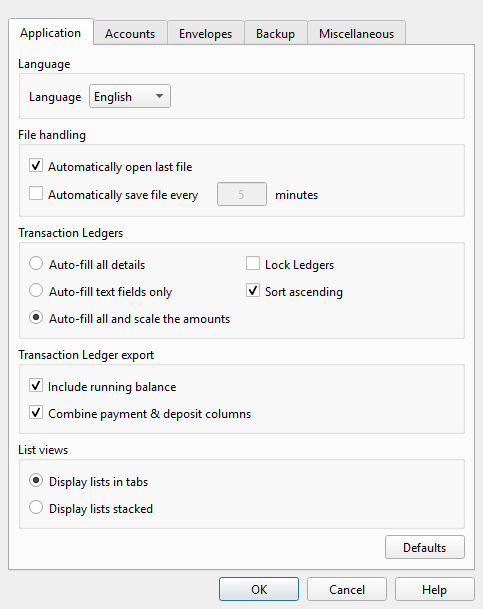
Overview
The Principal Plan settings dialog controls application-wide preferences. Open it from File > Settings. The dialog contains five tabs:
| Tab | Description |
|---|---|
| Application | Language, file handling, Ledger behavior, export options, and list view layout. See Settings — Application. |
| Accounts | Account list display and Account Ledger column visibility. See Settings — Accounts. |
| Envelopes | Envelope list display, Watchdog indicators, and Envelope Ledger column visibility. See Settings — Envelopes. |
| Backup | Automatic backup toggle, retention depth, and backup directory. See Settings — Backup. |
| Miscellaneous | Confirmation messages, import checkpoints, number formatting, Account Transfer behavior, new Transaction date, web search engine selection, and application text size. See Settings — Miscellaneous. |
Each tab has its own help topic with full details on every setting.
Buttons
| Button | Description |
|---|---|
| OK | Saves all changes across all tabs and closes the dialog. |
| Cancel | Closes the dialog without saving. |
| Help | Opens this help topic. |
Note: The entire help system is available as a single Markdown file suitable for teaching your favorite AI agent to be your personal Principal Plan expert. Download