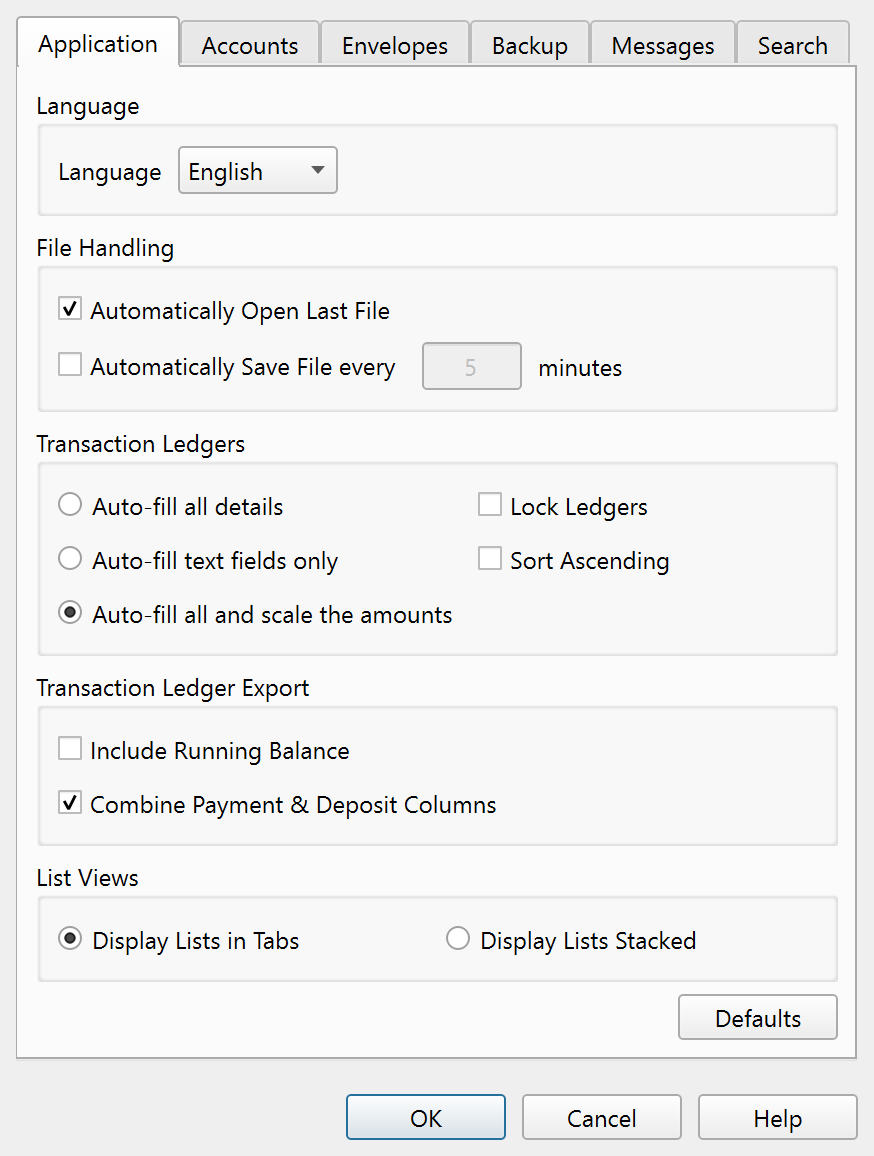
General application preferences.
Overview
The Application tab of the Settings dialog controls language, file handling, ledger behavior,
export formatting, and list view layout.
Language
| Setting |
Description |
| Language |
Selects the display language. Available options are English, Deutsch, Español, Français, Italiano, and Português. The change takes effect after restarting the application. |
File Handling
| Setting |
Description |
| Automatically Open Last File |
When enabled, Principal Plan reopens the most recently used file at startup. |
| Automatically Save File every N minutes |
When enabled, the file is saved automatically at the specified interval. The minute field is only active when the checkbox is checked. |
Transaction Ledgers
| Setting |
Description |
| Auto-fill all details |
When entering a new transaction, all fields are copied from the most recent matching payee transaction. |
| Auto-fill text fields only |
Only text fields (payee, memo, code) are auto-filled; amounts are not copied. |
| Auto-fill all and scale the amounts |
All fields are auto-filled and line item amounts are scaled proportionally to match the current total. This is the default. |
| Lock Ledgers |
Prevents editing transactions in all ledgers until explicitly unlocked. |
| Sort Ascending |
Sorts ledger transactions in ascending date order. |
Transaction Ledger Export
| Setting |
Description |
| Include Running Balance |
Adds a running balance column to exported ledger files. |
| Combine Payment & Deposit Columns |
Merges the Payment and Deposit columns into a single Amount column on export. |
List Views
| Setting |
Description |
| Display Lists in Tabs |
The account, envelope, and template lists are shown in separate tabs. This is the default. |
| Display Lists Stacked |
The account, envelope, and template lists are stacked vertically in a single pane. |
A Defaults button resets all Application tab settings to their factory values.
Note: The entire help system is available as a single Markdown file suitable for teaching your favorite AI agent to be your personal Principal Plan expert. Download